Steps to Generate Mandate Number on the GoG E-pay Service Portal
Here are the steps to generate mandate number on the GoG E-pay service portal as an employee who receives salary through the Controller and Accountant General’s Department (CAGD).
The management of Controller and Accountant-General Departmnt (CAGD) has officially announced a new procedure on how to generating a mandate number on the GoG E-Pay Services Portal.
Recommended
Simply Steps To Follow to Register and Access Payslip on New E-Payslip Portal
Simple Steps on How to Generate Payslip on E-Payslip Portal
According to portal guidance, users must follow the official process carefully to successfully generate a mandate number on the GoG E-Pay services portal and receive confirmation via SMS.
Kindly follow the steps below to successfully generate your mandate number on the new GoG E-Pay Services portal at https://gogepayservices.com/
A. Step by Step Process
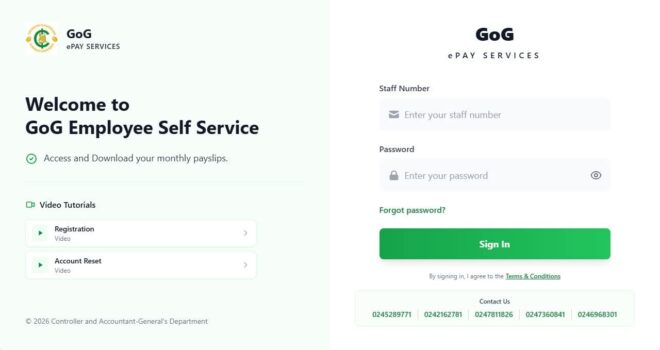
- Log into the portal via https://gogepayservices.com/
• Enter your Employee Number (Staff ID) and Password
• Complete the required verification
• If you are not registered, kindly complete registration first using your Ghana Card and registered phone number.
𝟐. 𝐒𝐄𝐋𝐄𝐂𝐓 “𝐌𝐀𝐍𝐃𝐀𝐓𝐄”
After logging in, click on “Mandate” from your dashboard.
𝟑. 𝐂𝐋𝐈𝐂𝐊 “𝐀𝐃𝐃 𝐍𝐄𝐖”
Fill in the required fields:
• Purpose
• Maximum Amount
• Institution
Then click Submit.
𝟒. 𝐂𝐎𝐍𝐅𝐈𝐑𝐌𝐀𝐓𝐈𝐎𝐍
An SMS notification containing your Mandate Number will be sent to your registered mobile number.
𝐈𝐌𝐏𝐎𝐑𝐓𝐀𝐍𝐓 𝐑𝐄𝐌𝐈𝐍𝐃𝐄𝐑𝐒
1. You must be fully registered and logged in to generate a mandate.
2. Ensure your registered phone number is active to receive the SMS code.
If you continue to experience challenges after following these steps, kindly contact your HR unit or use the official support channels on the portal.
Conclusion on Steps to Generate Mandate Number on GoG E-pay Portal
Officials advise staff to follow the correct steps on the GoG E-Pay Services Portal to generate a mandate number quickly and avoid processing delays.
Source: quarmsmedia.com